🚀 Tutorial
As stated in Why ΜΟΧελ?, all you need is a .cif file!
If you don’t have one 👉 IRMOF-1.cif.
Note that in the following examples, path/to/ can be an absolute or relative pathname.
Calculation and visualization of voxels
Calculation
Functional interface:
>>> from moxel.utils import voxels_from_file
>>> voxels = voxels_from_file('path/to/IRMOF-1.cif', grid_size=25)
Object-oriented interface:
>>> from moxel.utils import Grid
>>> grid = Grid(grid_size=25)
>>> grid.load_structure('path/to/IRMOF-1.cif')
>>> grid.calculate()
>>> import numpy as np
>>> np.all(voxels == grid.voxels)  # A sanity check.
True
Of course, we are interested in calculating voxels from multiple files. In this case, check:
In all cases, moxel.utils.Grid.calculate() is used under the hood to calculate the
voxels (all other functions are just wrappers). To better understand how to use
them: 📚 API Documentation.
Attention
Consider playing with the n_jobs parameter to get the best performance
for your system:
from timeit import timeit

setup = 'from moxel.utils import voxels_from_file'
n_jobs = [1, 2, 8, 16]  # Modify this according to your system.

for n in n_jobs:
    stmt = f'voxels_from_file("path/to/cif", n_jobs={n})'
    time = timeit(stmt=stmt, setup=setup, number=1)
    print(f'Time with {n} jobs: {time:.3f} s')
Visualization
>>> from moxel.visualize import plot_voxels_mpl
>>> import matplotlib.pyplot as plt
>>> import numpy as np
>>> fill_pattern = np.tril(np.full(voxels.shape, True)) # Plot only the lower triangle.
>>> fig = plot_voxels_mpl(voxels, fill_pattern=fill_pattern, cmap='coolwarm')
>>> plt.show()
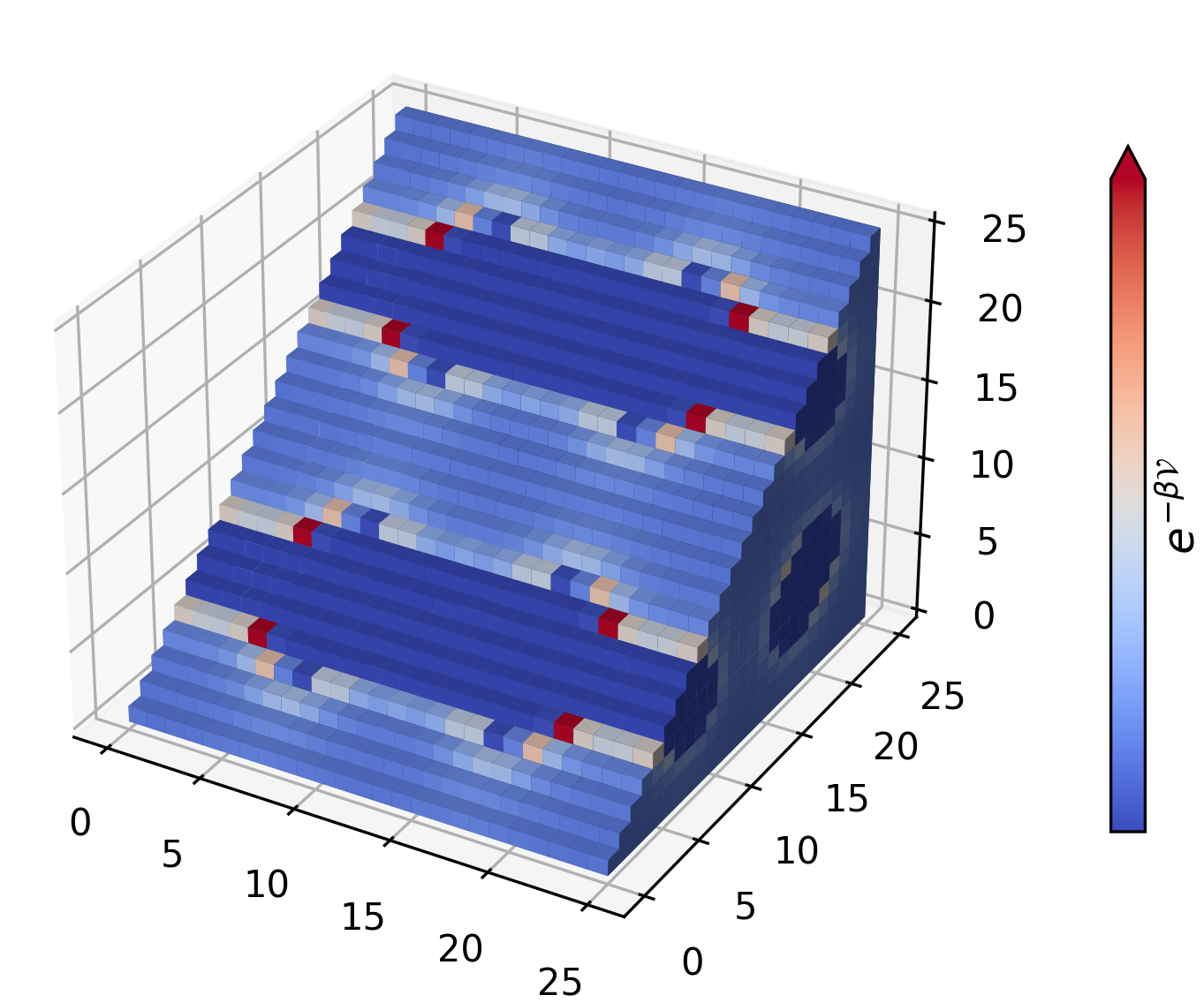
Since voxels is just a np.array check also Plotly and
moxel.visualize.plot_voxels_pv().
Preparing voxels for a ML pipeline
Here, we examine how to prepare clean ML inputs from a database, that can be later used to train a ML algorithm (e.g. a CNN).
If you don’t have a database 👉 CIFs.zip.
$ unzip path/to/CIFs.zip -d path/to/CIFs
$ ls path/to/CIFs
corrupted_1.cif  corrupted_2.cif  IRMOF-1.cif  ZnHBDC.cif  ZnMOF-74.cif
Ideally, all .cif files should be processable. In this example, we cover the
general case where some .cif files (named as corrupted*) can not be
processed.
Create a directory to store voxels:
$ mkdir path/to/batch
Calculate voxels and store them:
>>> from moxel.utils import voxels_from_dir
>>> voxels_from_dir('path/to/CIFs/', grid_size=5, out_pathname='path/to/batch')
$ moxel create -g 5 path/to/CIFs path/to/batch/
Clean the voxels:
>>> from moxel.utils import batch_clean
>>> exit_status = batch_clean('path/to/batch')
Missing voxels found! Cleaning...
>>> exit_status
1
$ moxel clean path/to/batch
Lets check the contents of
path/to/batchdirectory:$ ls path/to/batch clean_names.json clean_voxels.npy names.json voxels.npy
The file
clean_names.jsoncontains only the names of the processed materials:$ cat path/to/batch/clean_names.json [ "IRMOF-1.cif", "ZnHBDC.cif", "ZnMOF-74.cif" ]
The file
clean_voxels.npycontains only 3 samples:>>> import numpy as np >>> clean_voxels = np.load('path/to/batch/clean_voxels.npy', mmap_mode='r') >>> clean_voxels.shape (3, 5, 5, 5)
(optional) Remove
voxels.npyandnames.json:$ rm path/to/batch/{voxels.npy,names.json}